Gatekeeper & the 0x40 bit: anatomy of com.apple.quarantine
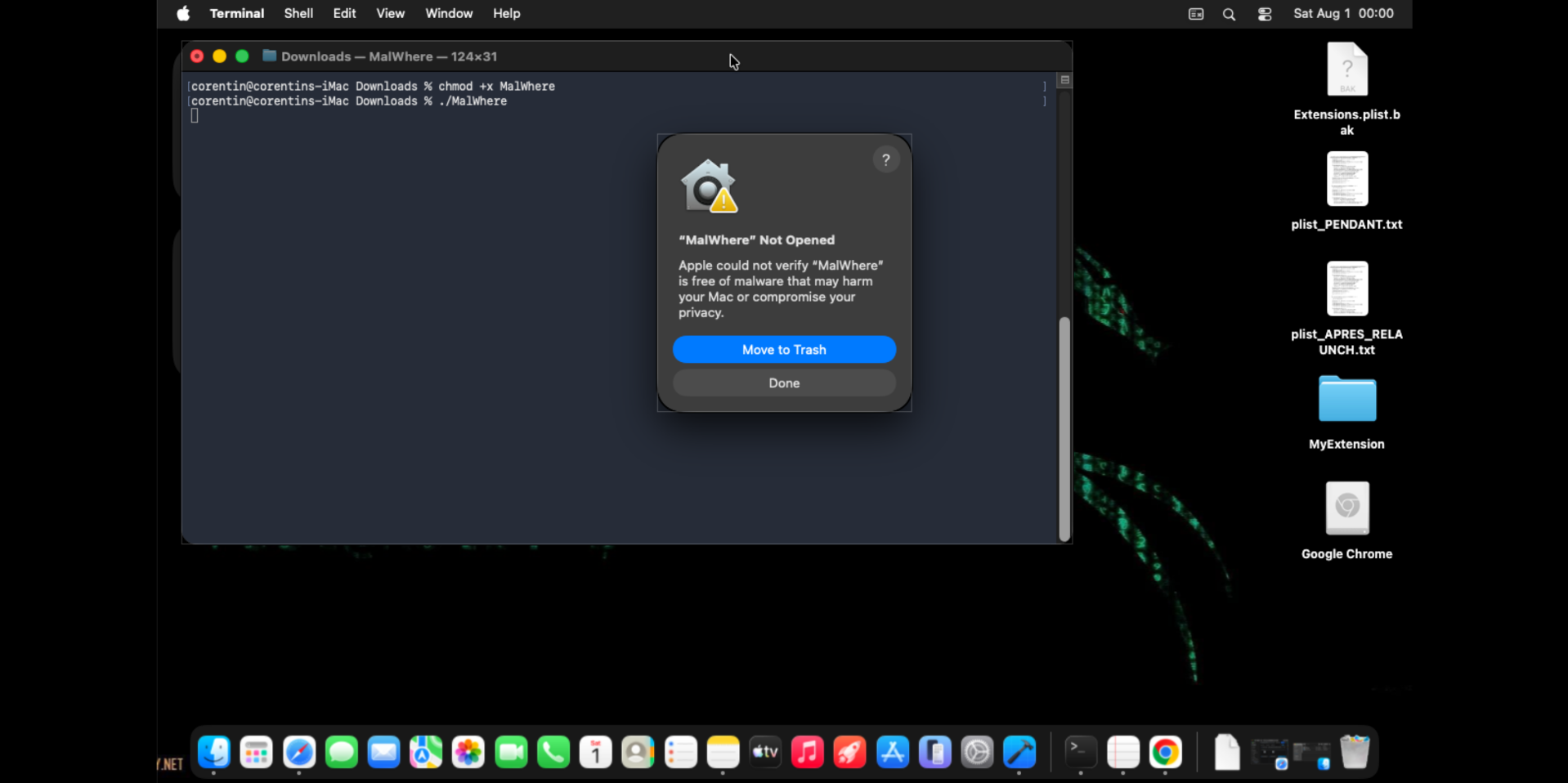
TL;DR - When you click “Open Anyway” on a file Gatekeeper blocked, macOS does exactly one thing: it sets a single bit in an extended attribute. Here’s which bit, and why it unlocks execution.
The starting point
You download a binary from a browser, you run it, and macOS greets you with:
“‘MyBinary’ cannot be opened because Apple cannot check it for malicious software.”
[ Move to Trash ] [ Done ]
No “Open” button in that first dialog. The file is blocked. From the command line it’s even blunter:
1
2
3
4
$ ./MyBinary
zsh: killed     ./MyBinary
$ echo $?
137          # 128 + 9  →  SIGKILL
The binary is killed by the kernel (signal 9) before its main() even runs.
The interesting question: what, exactly, decides this file must die?
Anatomy of com.apple.quarantine
When a “sandbox-aware” app (Safari, Mail, Messages…) writes a downloaded file, it attaches an extended attribute to it: com.apple.quarantine. That is what triggers Gatekeeper.
1
2
$ xattr -p com.apple.quarantine ./MyBinary
0083;6a6b51dc;Safari;AF45CE49-65C8-4A67-8A77-7148E99F0242
It isn’t a simple boolean. It’s a string of four fields separated by ;:
1
2
3
4
5
6
0083 ; 6a6b51dc ; Safari ; AF45CE49-65C8-4A67-8A77-7148E99F0242
 │       │          │        │
 │       │          │        └─ event UUID (key into the LaunchServices DB)
 │       │          └─────────── "agent": the app that set the quarantine
 │       └────────────────────── timestamp (hex, seconds since epoch)
 └────────────────────────────── FLAGS (hex)  ←  this is where it all happens
The first field, 0083, is a bitfield. That’s the heart of the matter.
Who sets this flag, and who doesn’t
This is the part who matters a lot offensively.
The quarantine attribute is set by the program that creates the file, not by the system, not by the kernel. It’s an extended attribute (xattr), glued on at download/receipt time by a userland app. Think of it as Mark-of-the-Web++: like Windows’ MotW, but stronger, because on macOS it can require the user to authenticate before the file will execute.
1
2
# Is a given file "quarantined"?
$ xattr -l /Applications/PoCaddon.app
The flag lives in the filesystem metadata (HFS+/APFS). Since it’s imposed by the writing application, the delivery method decides whether it’s there at all:
| Sets the quarantine flag | Does not set it |
|---|---|
| Safari (download) | curl … \| tar x (pipe) |
| Chrome / Firefox (download) | scp |
| Mail.app (attachment) | cp (local copy) |
| Messages (received file) | tar xzf (local archive) |
curl -O (macOS-version dependent) | git clone |
| USB / external disk (unless Finder tags it) |
The offensive takeaway is immediate: if the payload arrives through a channel that never sets com.apple.quarantine, Gatekeeper never triggers at all, no bit to flip, no prompt, nothing. Piping a download straight into tar (curl https://… | tar xz), dropping via scp, cloning a repo, or copying off a USB stick all yield a file that runs freely. Gatekeeper is opt-in enforcement that depends entirely on the writer cooperating.
The rest of this post is about the case where the flag is present, and the single bit that neutralises it.
The experiment
Take a dead-simple unsigned binary and give it the same quarantine a Safari download would have:
1
2
3
4
5
$ clang -o demo demo.c
$ xattr -w com.apple.quarantine "0083;6a6b51dc;Safari;AF45CE49-...-7148E99F0242" demo
$ ./demo ; echo "exit=$?"
zsh: killed     ./demo
exit=137                     # SIGKILL
Now the only change: I turn 0083 into 00c3. In binary:
1
2
3
4
0x83 = 1000 0011
0xC3 = 1100 0011
         ^
         └── I added the 0x40 bit
1
2
3
4
$ xattr -w com.apple.quarantine "00c3;6a6b51dc;Safari;AF45CE49-...-7148E99F0242" demo
$ ./demo ; echo "exit=$?"
Hello from demo
exit=0                       # it runs!
One bit changes everything. The file is still quarantined, still unsigned, still from the same download, but it executes.
What that bit does
The 0x40 bit marks the file as “assessment approved / user-approved.” It’s exactly what macOS writes when you go to System Settings → Privacy & Security and click “Open Anyway”: it doesn’t remove the quarantine, it doesn’t re-sign anything — it adds the 0x40 bit to the existing flags.
From Gatekeeper’s point of view, a file with this bit has already cleared the “the user consented” step, so it stops blocking it. Flipping 0083 → 00c3 from the command line is the same as clicking “Open Anyway” on the user’s behalf.
/!\ The symbolic names of the quarantine flags (
QTN_FLAG_*) are not officially documented by Apple and have shifted slightly across macOS versions. What I present here is empirical: on macOS Sequoia 15.7.7, adding the0x40bit takes a binary from SIGKILL to normal execution.
Flag semantics: how to verify it yourself
“Bit 0x40 = approved,” fine, but how do we know? There are two sources, from least to most reliable. The right approach is to cross-check them.
Source 2 - reverse the enforcer (most reliable: “as enforced”)
Rather than trust the header, read what the code actually tests. I opened /usr/libexec/syspolicyd in Ghidra and followed the call to qtn_file_get_flags. Here’s the function that reads and uses the flags:
1
2
3
4
5
__qtn_file_get_flags();               // fetch the flags
if (param_4) *param_4 = (uint)flags;  // out: raw flags
bVar5 = (byte)((uint)flags >> 6) & 1; // ← extract BIT 6
*param_2 = 1;                          // "quarantine present"
*param_3 = bVar5;                      // ← dedicated boolean output
(flags >> 6) & 1 → bit 6 → 0x40. The daemon isolates specifically this bit into a dedicated boolean that it feeds into the decision logic. That’s confirmation, at the level of the binary that enforces the rule, that 0x40 is the “approved” bit. Reproducible method:
1
2
3
search_functions "qtn_file_get_flags"   → __qtn_file_get_flags @ 0x1000bc140
get_xrefs_to 0x1000bc140                 → called by FUN_100025f98
decompile FUN_100025f98                  → spot the mask: (flags >> 6) & 1
Source 3 - the empirical sweep (ground truth, black-box)
Finally, test it. Each bit, in isolation, on a quarantined binary, and observe:
| flags (isolated) | behavior | reading |
|---|---|---|
0x01 DOWNLOAD | KILL | present ≠ approved |
0x02 SANDBOX | KILL | same |
0x04 HARD | rc 126 (“cannot execute”) | blocked via a different path than SIGKILL |
0x40 USER_APPROVED | ✅ RUN | the only one that exempts |
0x00 (no flags) | KILL | the mere presence of the xattr is enough |
| all the others | KILL | — |
Two surprises here:
0x00is still killed. It isn’t the download flag that triggers Gatekeeper - it’s the very existence of thecom.apple.quarantineattribute. syspolicyd says so in its own logs: “Skipping SecAssessment scan because item is not quarantined”, so as soon as it’s quarantined (xattr present), it scans.0x04(HARD) doesn’t give a SIGKILL but anrc 126- the “hard” block goes through a different route.
All three sources converge: 0x40 is the approval bit, and it’s the only one that unlocks execution. When a single source gives you an answer, you have a hypothesis; when the header, the enforcer’s disassembly, and the black-box test all say the same thing, you have a fact.
What does NOT unlock it (and why that’s instructive)
A small matrix tested on the same binary, to pin down what actually matters:
| Manipulation | Quarantine | Signature | Result |
|---|---|---|---|
| as-downloaded | 0083 | unsigned | ❌ SIGKILL |
codesign -s - (adhoc) | 0083 | adhoc | ❌ SIGKILL |
flip the 0x40 bit | 00c3 | unsigned | ✅ runs |
xattr -c (strip) | (none) | unsigned | ✅ runs |
Two lessons:
- An adhoc signature is not enough, Gatekeeper wants notarization, not just “signed by someone.” An adhoc, quarantined binary is killed just like an unsigned one.
- The lock is the quarantine, not the signature. Removing the xattr (
xattr -c) or marking it approved (0x40) unlocks everything, without ever touching the signature.
Bonus: the three other fields of the xattr
The flag is only the first field. The 4th, the UUID, is a foreign key into a SQLite database that keeps the full “where did this file come from” record:
1
2
3
4
sqlite3 ~/Library/Preferences/com.apple.LaunchServices.QuarantineEventsV2 \
  "SELECT LSQuarantineAgentName, LSQuarantineDataURLString
   FROM LSQuarantineEvent ORDER BY LSQuarantineTimeStamp DESC LIMIT 5;"
# Safari | https://drive.usercontent.google.com/download?id=...
For a threat hunter, that’s gold: the exact download URL of a suspicious binary, the app that fetched it, and the timestamp.
Tested on macOS Sequoia 15.7.7 (build 24G720) — fir3n0x